
Learn how to use our services
With the help videos on this page, you will learn how to work and create a campaign in the user panel.
If you have any questions regarding the operation of the service or the creation of a campaign, ask our colleagues through the communication channels available on the site or the support section in the user panel.
Keyword-based campaigns: setup and tracking
This section walks you through setting up a keyword-based campaign inside the KeyUpSEO user panel. You will learn where to enter your target terms, how to define a destination page, and how to start a campaign.
Once a campaign is running, you can follow its progress through the tracking dashboard in your KeyUpSEO account. If you have connected a third-party analytics platform to your site, you can review the activity there as well.
Before starting a campaign, review your website's SEO analysis to decide which page and which terms to target. You can then launch the campaign and monitor it from your account.
Start Your Keyword Campaign
How to use our SEO analysis tool
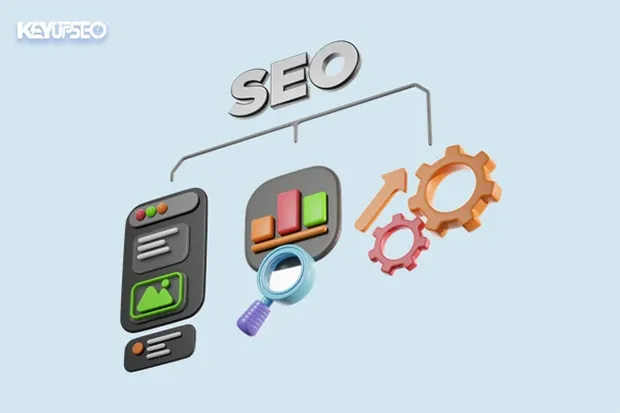
This video gives you a hands-on walkthrough of our SEO analysis tool. Whether you're launching your first website or optimizing an existing one, we'll guide you through every step, from running the free initial test to exploring the key features of the tool.
You'll learn how to interpret SEO metrics, identify on-page issues, and take practical actions based on the report. No guesswork, no jargon, just simple, effective guidance.
Running the free initial test takes less than a minute and reveals the most important on-page issues found on your site. From there, you can decide which fixes to prioritize before scaling your campaign.
To unlock the full version of the tool, use code SEO-Tools-50 at checkout and get 50% off.
Try SEO Tool FreeDirect website visits: campaign setup
This section walks you through setting up a direct visit campaign inside the KeyUpSEO user panel. You will learn how to enter your destination URL, define the campaign volume, and start the campaign.
Once a campaign is running, you can follow its progress through the tracking dashboard in your KeyUpSEO account. If you have connected a third-party analytics platform to your site, you can review the activity there as well.
Before starting a campaign, review your website's SEO analysis to decide which page to target. You can then launch the campaign and monitor it from your account.
Start Your Website CampaignInstagram services
Increasing video likes and Instagram video views is one of the most important points for creators active on this social network.
You can order any of the Instagram services directly through your user panel, with full control over volume and delivery pace.
Our platform also provides Reels services and you can place an order if needed, with the same transparency and tracking options as our other Instagram offerings.
We offer services such as Instagram views, likes, and followers so that your content can reach a wider audience.
Order Instagram ServicesYouTube services
Increasing video likes and views, along with growing YouTube subscriptions, is one of the most important pillars for creators working seriously on this platform.
Today, YouTube is one of the most-viewed social networks, with active users from all over the world and one of the strongest discovery algorithms for video content.
You can select the required amount of each YouTube-related service through your user panel, register your campaign, and pay securely; all in a single workflow.
YouTube has played a huge role in modern content growth, and creators who don't invest in the platform often lag behind competitors. You can order YouTube views, likes, and subscriptions through a system designed for creators who want more control over their campaign pacing.
Order YouTube ServicesReady to Start Your First Campaign?
Our support team is here to help you set up your first campaign. Whether you need guidance on choosing a keyword, understanding the panel, or reviewing your campaign results, we're just one message away.